Submissions and insights
See who took an experience, what they answered, which results they got and where they dropped off.
Every experience records participants, completions and leads. The stats row on My Experiences shows totals across all of them: experiences, participants, leads captured and average completion rate.
Steps
Open My Experiences
Select Experiences → My Experiences. Each row shows started, completed and lead counts.
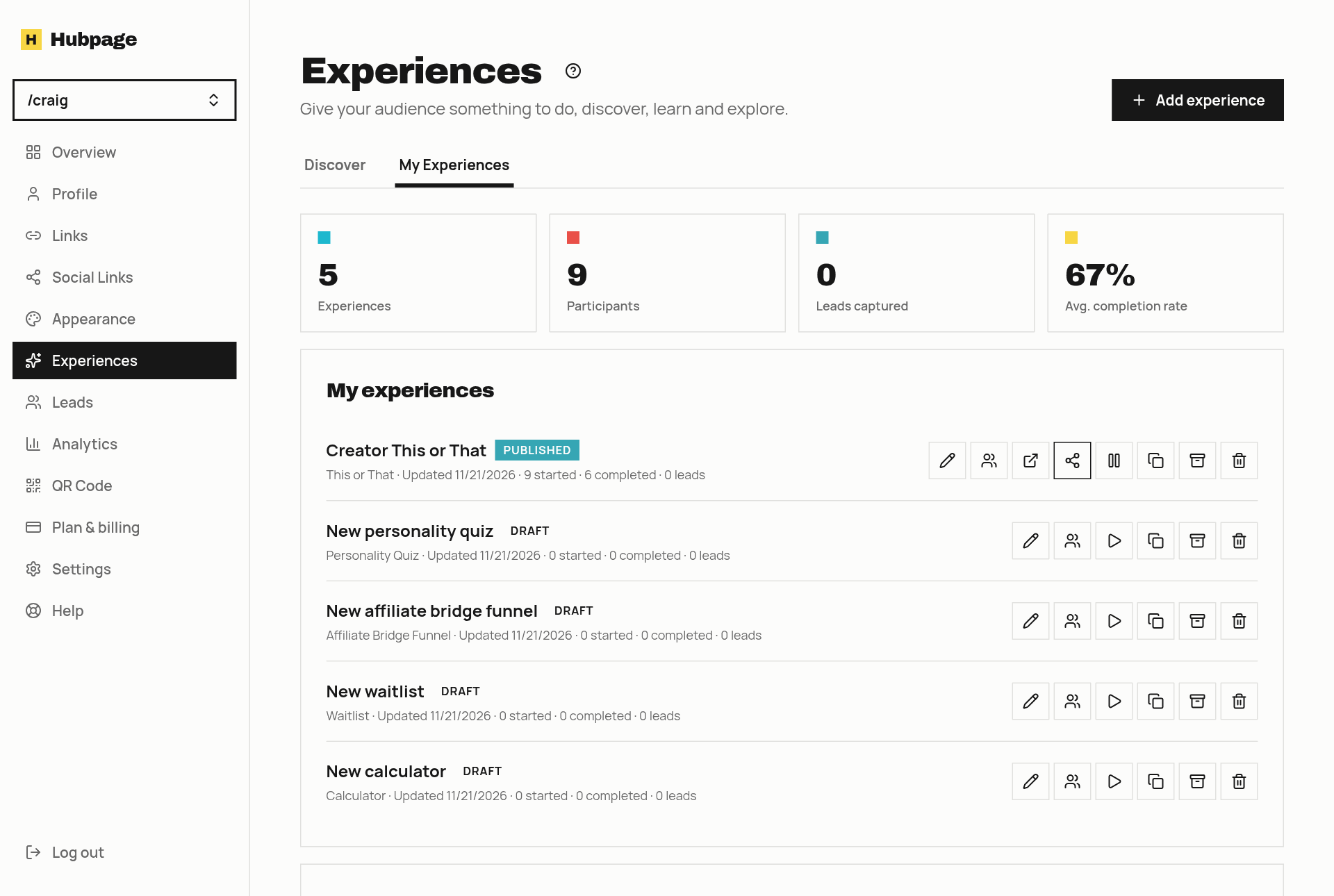
Where: Experiences → My Experiences
View submissions
Select the people icon (Submissions) on a row, or View submissions in the Publish step, to see each response with its answers and result.
Where: Row → Submissions
Open insights
Select Insights in the Publish step to see answer breakdowns and result totals.
Where: Builder → 5. Publish → Insights
Act on it
Leads from submissions are already in Leads, where you can filter by experience and result.
Where: Leads
Was this page helpful?