Track leads in your pipeline
Every experience and signup form feeds one pipeline. Move leads through stages, keep private notes, filter and export.
Leads is your micro CRM. It gathers submissions from every experience and your page signup form, across all your pages. Every lead starts as New.
Steps
Open Leads
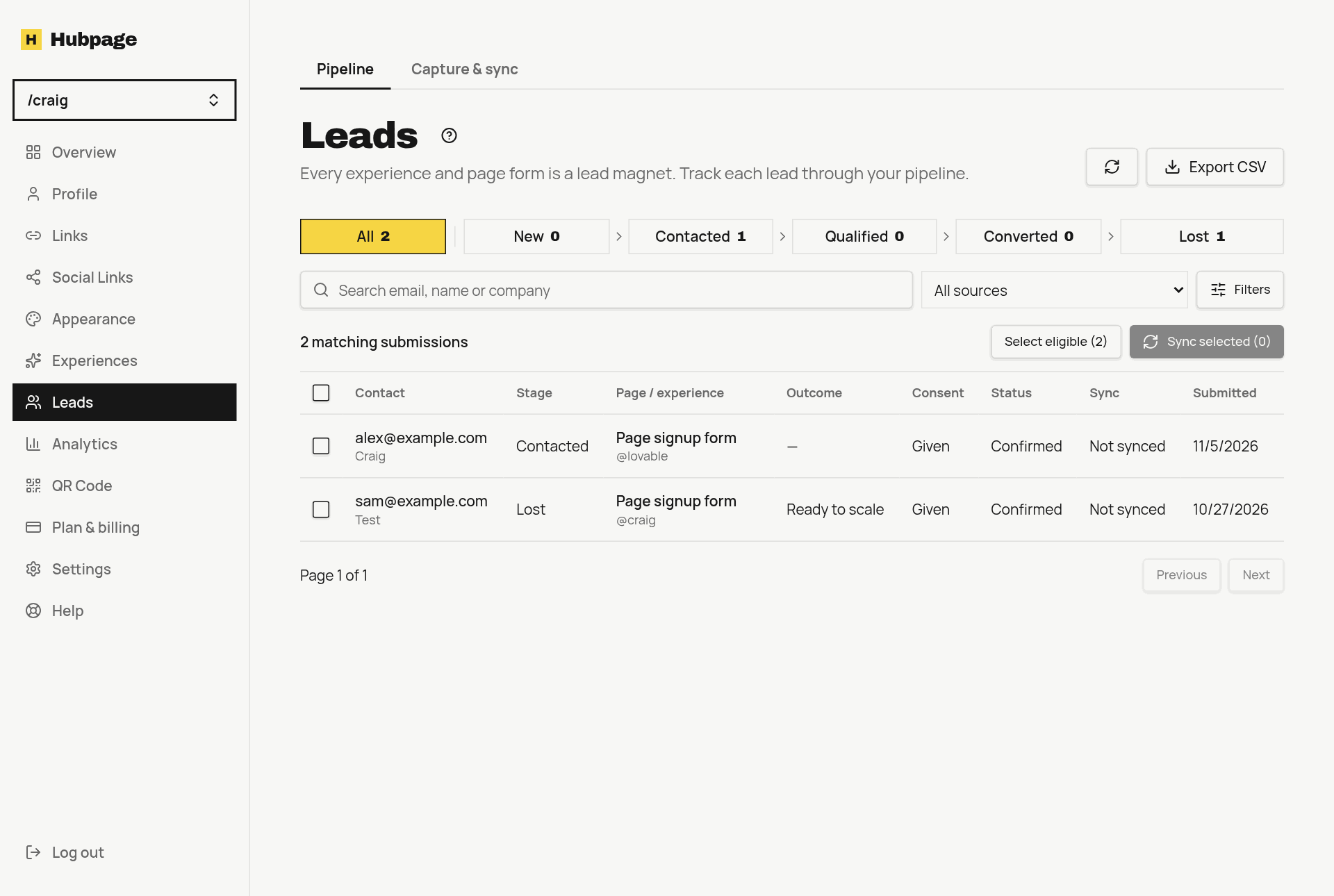
Select Leads. The Pipeline tab shows the stage bar (All, New, Contacted, Qualified, Converted, Lost) with a count on each. Select a stage to filter.
Where: Dashboard → Leads → Pipeline
Find a lead
Search by email, name or company, or choose a source (a specific experience, or page signup forms). Select Filters for page, outcome, subscriber status, sync status, consent and date range. Clear resets everything.
Where: Pipeline → Search / Filters
Open a lead
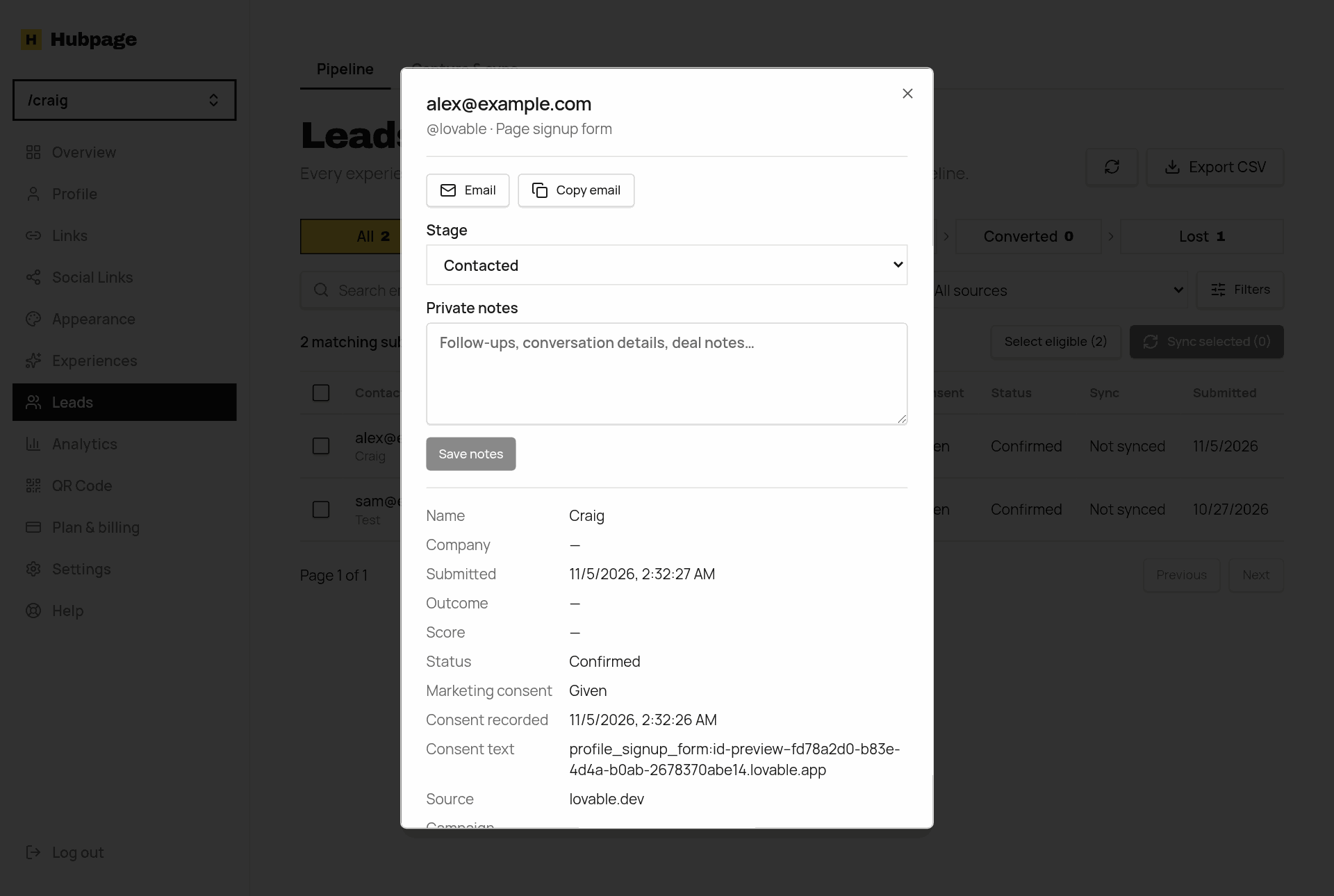
Select the email address. You will see their name, company, outcome, score, consent record, source and campaign, every answer and any extra fields.
Where: Pipeline → lead
Move the stage and add notes
Change Stage as you work the lead, and add Private notes such as follow-ups and conversation details. Select Save notes. Use Email or Copy email to reach out.
Where: Lead → Stage / Private notes
Export
Select Export CSV to download the leads that match your current filters. Export is on Creator and Pro.
Where: Leads → Export CSV
Was this page helpful?