Share your page: links, tagged links and QR codes
Copy your page URL, build a tagged link for each channel, and download a branded QR code for print.
Put your Hubpage address everywhere people already find you. Tagged links tell you which channel works; QR codes bring offline traffic in.
Steps
Copy your URL
On Overview, select Copy URL, or Preview to open your page. Paste it into every bio, email signature and invoice.
Where: Overview → Copy URL
Build a tagged link for each channel
In Analytics → Tagged link builder, pick a preset (Instagram, TikTok, X, Facebook, LinkedIn, YouTube, Email, QR / print), add an optional campaign, and select Copy link. Use a different link in each bio, post or ad.
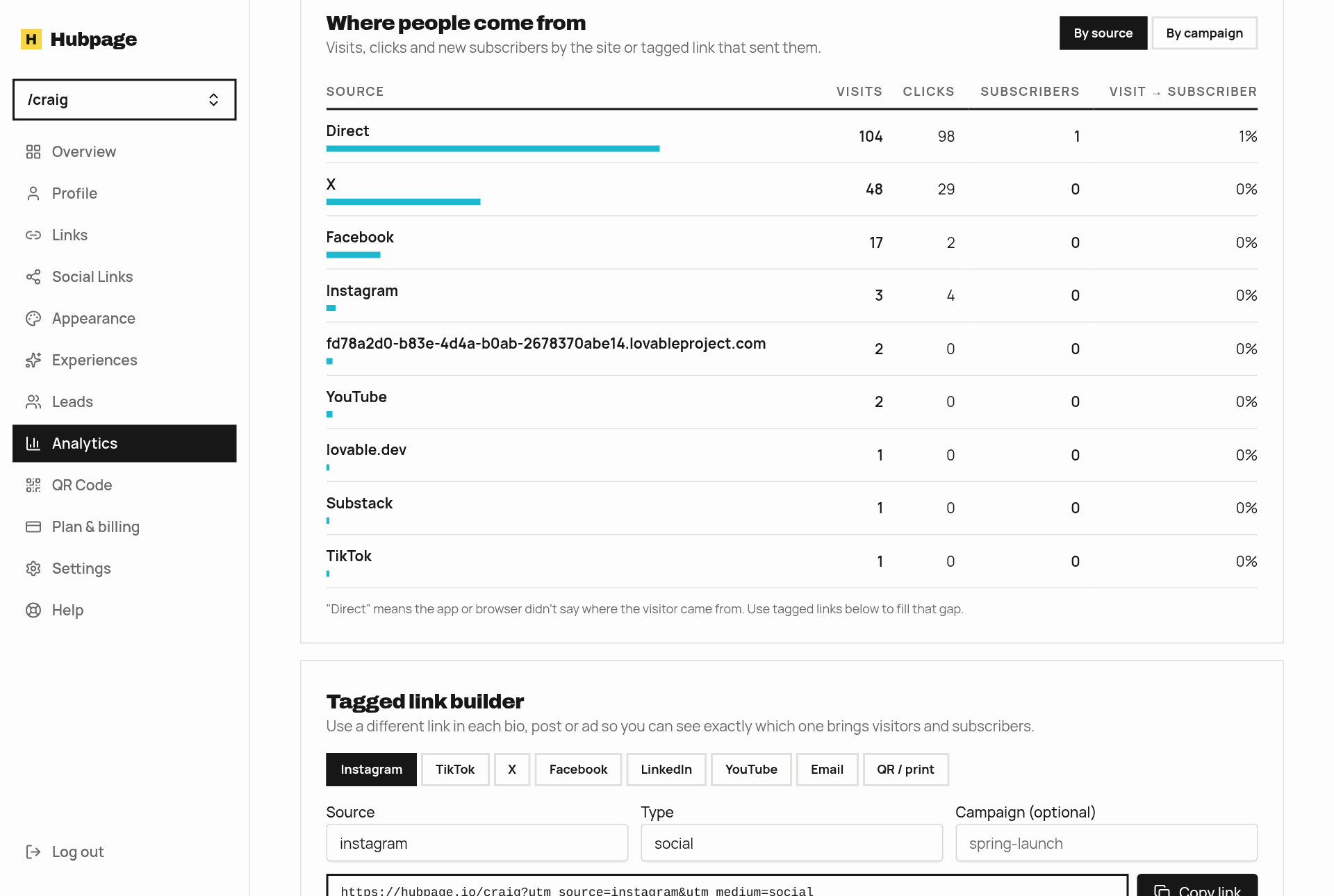
Where: Analytics → Tagged link builder
Create your QR code
Select QR Code. Choose colours (the code stays black on white so it always scans; colour goes on the accent bar or border), then optionally a transparent background, your Profile photo in the centre, a Branded border and a label such as Scan to connect.
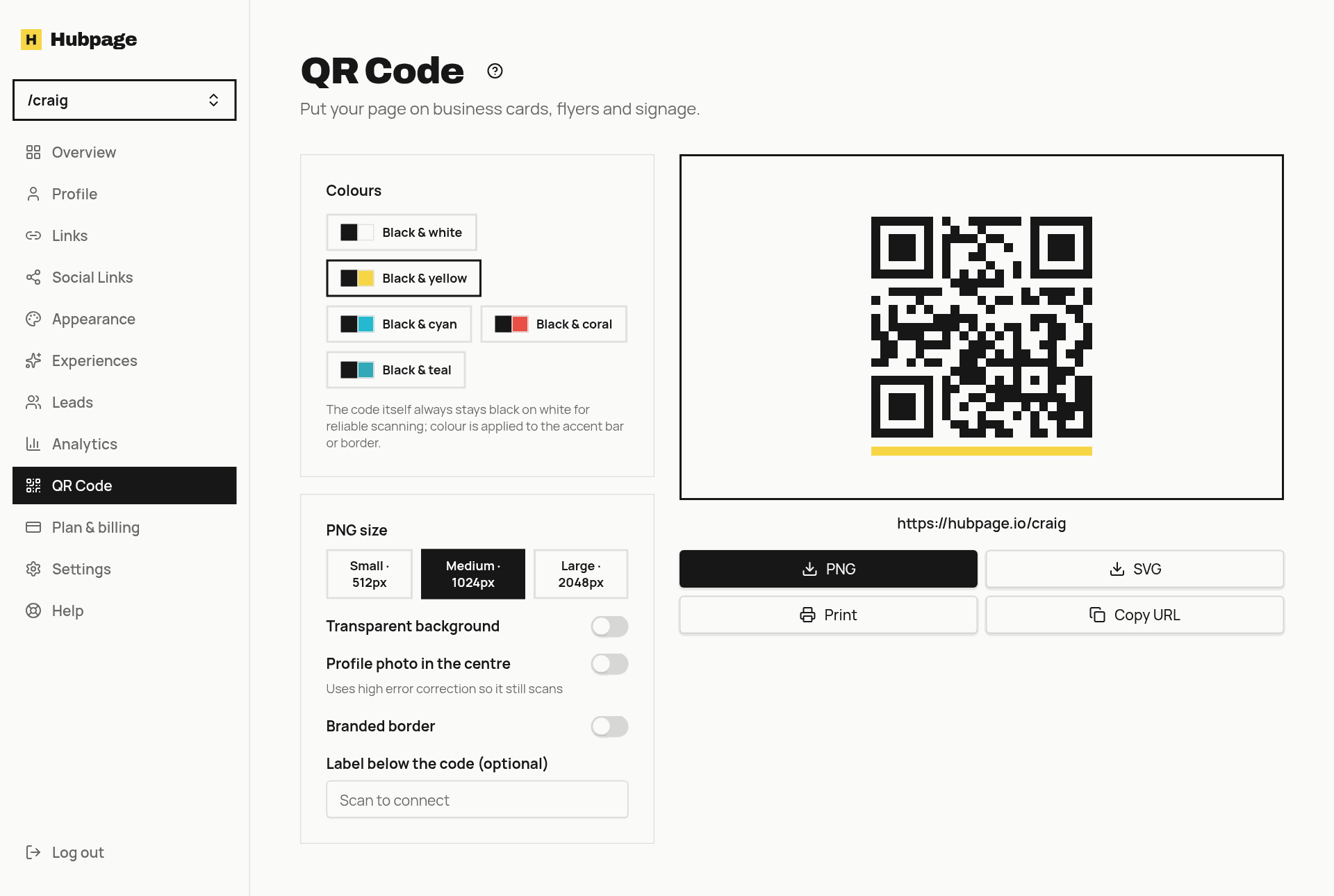
Where: Dashboard → QR Code
Download or print
Pick a PNG size (512, 1024 or 2048 px) and select PNG, SVG for print shops, or Print for a ready-to-print sheet.
Where: QR Code → PNG / SVG / Print
Was this page helpful?