Hubpage

Hubpage for personal trainers

Link in bio for personal trainers

Your workouts show what you know. Your bio page should show how someone can work with you. Bring coaching, programs and consultation links together so a potential client can choose a next step that fits their goals.

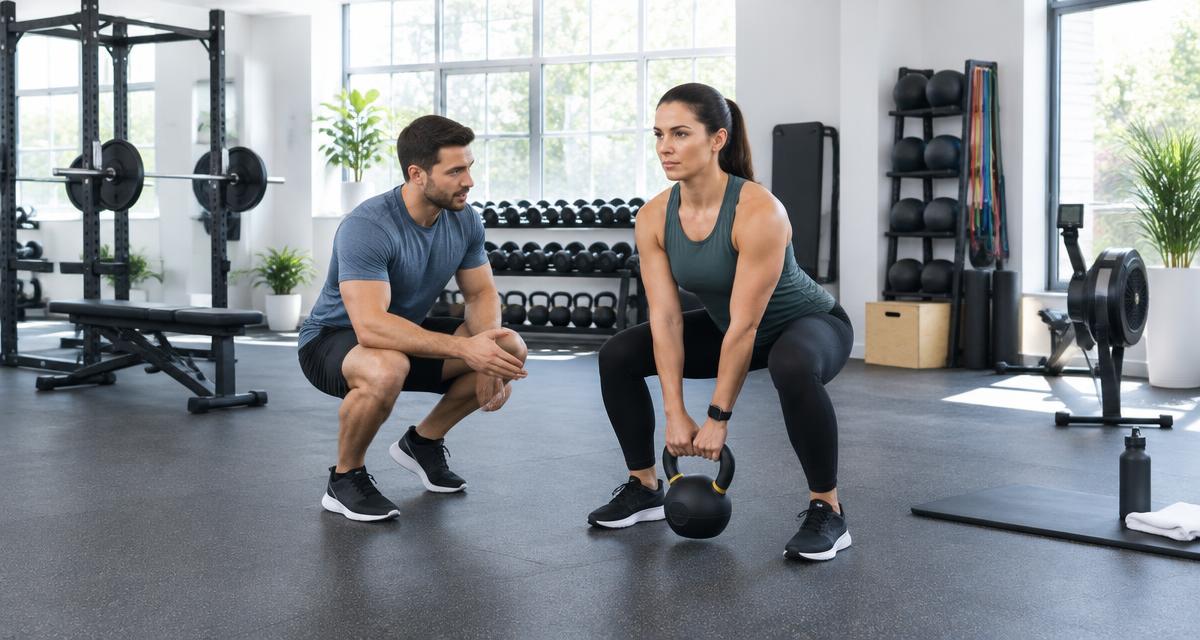
Illustrative personal trainer coaching a client in a fitness studio
Illustrative image, not a customer endorsement.

Workout views do not explain your coaching offer.

A follower can enjoy your exercise videos without knowing whether you offer in-person sessions, online coaching, or a self-paced program. If your bio sends everyone to the same checkout, someone who needs a conversation first may have nowhere obvious to go.

Different goals, one confusing link.

A beginner, an experienced lifter and someone seeking online support may be looking for different services.

With Hubpage: Group In-person training, Online coaching and Programs separately. Link to pages that explain the fit, location and expectations for each offer.

Your next intake gets buried.

A timely coaching opening can disappear below old resources and unrelated affiliate links.

With Hubpage: Put your current consultation or intake link first. Use a specific label such as Ask about online coaching, then keep supporting resources below it.

Free content has no next step.

People saving your workouts may not be ready to buy, but they might want to keep hearing from you.

With Hubpage: Offer a clearly described training-update signup on eligible paid plans, or link to a useful beginner resource. Do not treat downloading a resource as automatic email consent.
THE PAGE PLAN

Give every link a job.

Suggested structure for Sam Taylor, personal trainer · online & in-person coaching. This is a fictional example, not a live profile or customer result.

Primary destination

Ask about coaching

For a service that depends on goals and fit, start with a conversation. If you promote a specific self-paced program, feature that program during the campaign.

Train with me

  • Ask about coaching
  • In-person session information
  • Online coaching options

Programs & resources

  • Explore beginner strength program
  • Read the getting-started guide

Get to know my approach

  • Coaching philosophy
  • Client stories shared with permission

From a social post to a useful next step

  1. 01

    From a workout post

    A follower wants help applying your advice and opens your Hubpage.

  2. 02

    To the right offer

    They compare coaching options and follow the consultation link that matches their needs.

  3. 03

    To a real conversation

    Your linked service handles the enquiry or booking. You assess suitability; Hubpage does not provide health advice or client intake.

Stay connected—with consent

Invite subscribers to receive training tips or program announcements. Describe the topics clearly. Keep medical details, health screening and sensitive intake information in appropriate specialist systems, not an email signup.

Hubpage email capture and subscriber export require eligible paid access. The form includes explicit consent and unsubscribe. Email campaigns and CRM automation are not included.

Measure the next step, not just the likes

Compare clicks on coaching enquiries and self-paced programs. Check actual consultation bookings in your scheduling service before judging whether a campaign brought clients.

Page views and link clicks are signals, not proof of leads or sales. Analytics and interactive formats vary by plan.

Check current plans and availability

Set up your professional Hubpage

  1. 1

    Describe who you coach, where you work and whether sessions are online or in person.

  2. 2

    Add separate links for coaching, programs and useful resources. Put the offer your current posts discuss first.

  3. 3

    Choose a look and header photo, check your destinations on a phone and share the address in your bios.

Start with a free account. Choose a ready-made look, group links into categories and share your public page. Bookings, payments and industry-specific services stay at your linked destinations.

Questions from personal trainers

Can clients book training sessions on Hubpage?

Add a link to your scheduling service. Session availability, bookings and reminders stay in that service; Hubpage does not include a calendar.

Can I sell a workout program?

Link to the site where you sell or deliver your program. Purchases and delivery happen there, not on Hubpage.

Can I add a fitness poll or quiz?

Interactive formats vary by plan. A poll can invite visitors to choose a topic; quizzes can be used on eligible plans. Do not present results as medical advice or collect sensitive health details.

Can I email subscribers automatically?

Eligible paid access includes consent-based email capture and list export, not automated coaching campaigns. Follow up using your chosen email service and the consent collected.

Explore Hubpage for other professionals