Sync subscribers to Mailchimp, Kit or Beehiiv
Copy new subscribers to your email tool automatically, and pass unsubscribes on too.
Hubpage collects the subscribers; you keep writing your newsletter in the tool you already use. Only confirmed subscribers who gave marketing consent are sent.
Steps
Get your API key
In Mailchimp, Kit or Beehiiv, create an API key. Hubpage shows a hint for where to find it for the provider you pick.
Where: Your email service
Connect
In Leads → Capture & sync → Connect your email service, pick your provider, paste the key and select Test & load lists. The key is stored encrypted and never shown again.
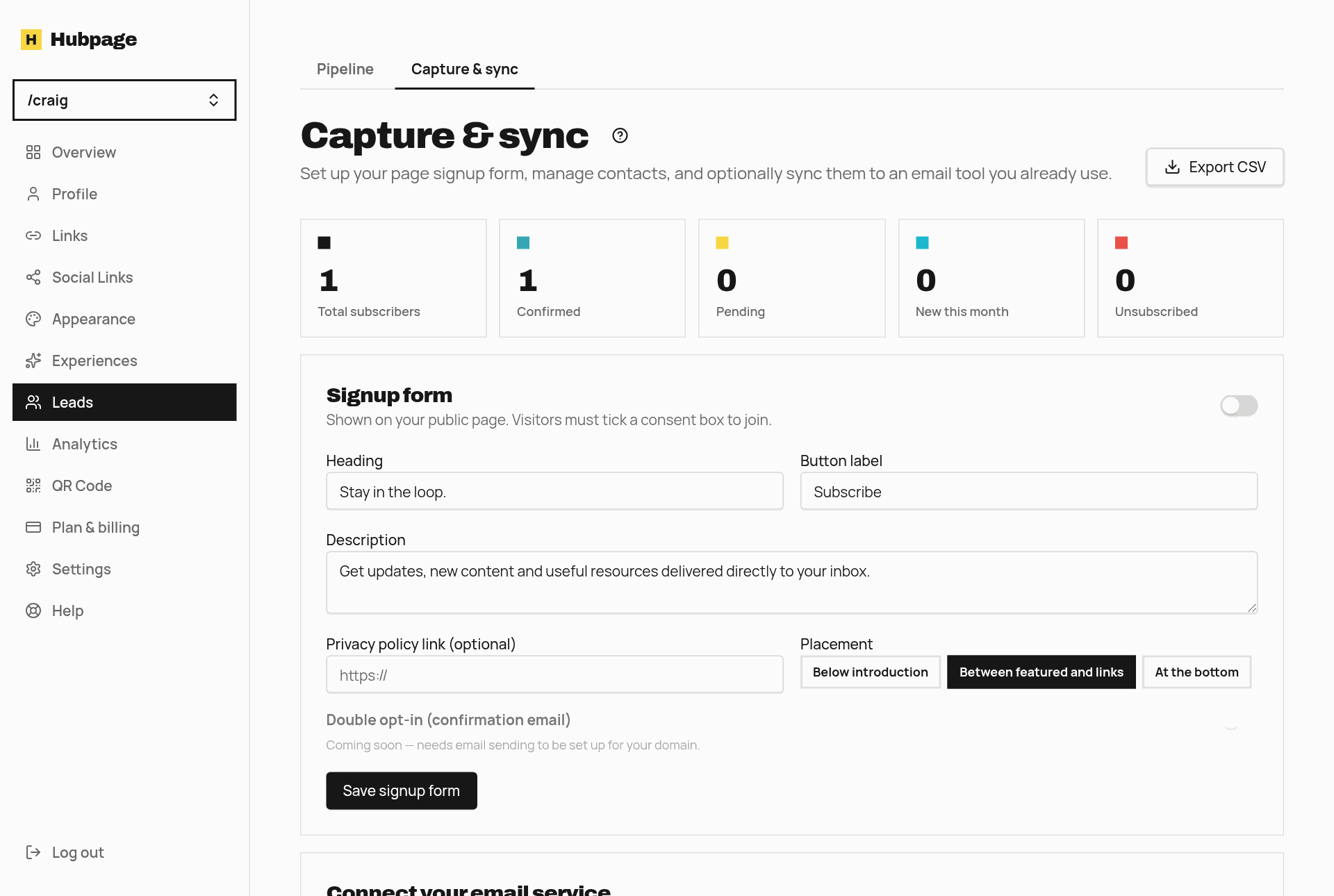
Where: Capture & sync → Connect your email service
Choose the list and save
Pick the list (or audience or publication), keep Sync new subscribers automatically on and select Save sync settings. On Beehiiv you can let Beehiiv send its welcome email.
Where: Connect your email service
Send existing subscribers
Select Sync existing subscribers to send everyone already on your list, and Retry failed if anything did not go through. Last sync time, count and any error are shown below.
Where: Sync panel
Sync selected leads (optional)
In the Pipeline tab, select Select eligible or tick individual leads, then Sync selected.
Where: Leads → Pipeline → Sync selected
Was this page helpful?