Run more than one page
Create extra Hubpages for a business, side project or brand, each with its own links, design, analytics and subscribers.
Free and Creator include one page. Pro includes up to five. Every page has its own address, links, design, analytics and subscribers, and you manage them from one login.
Steps
Open the page switcher
At the top of the dashboard menu, select your current page name (for example /yourname).
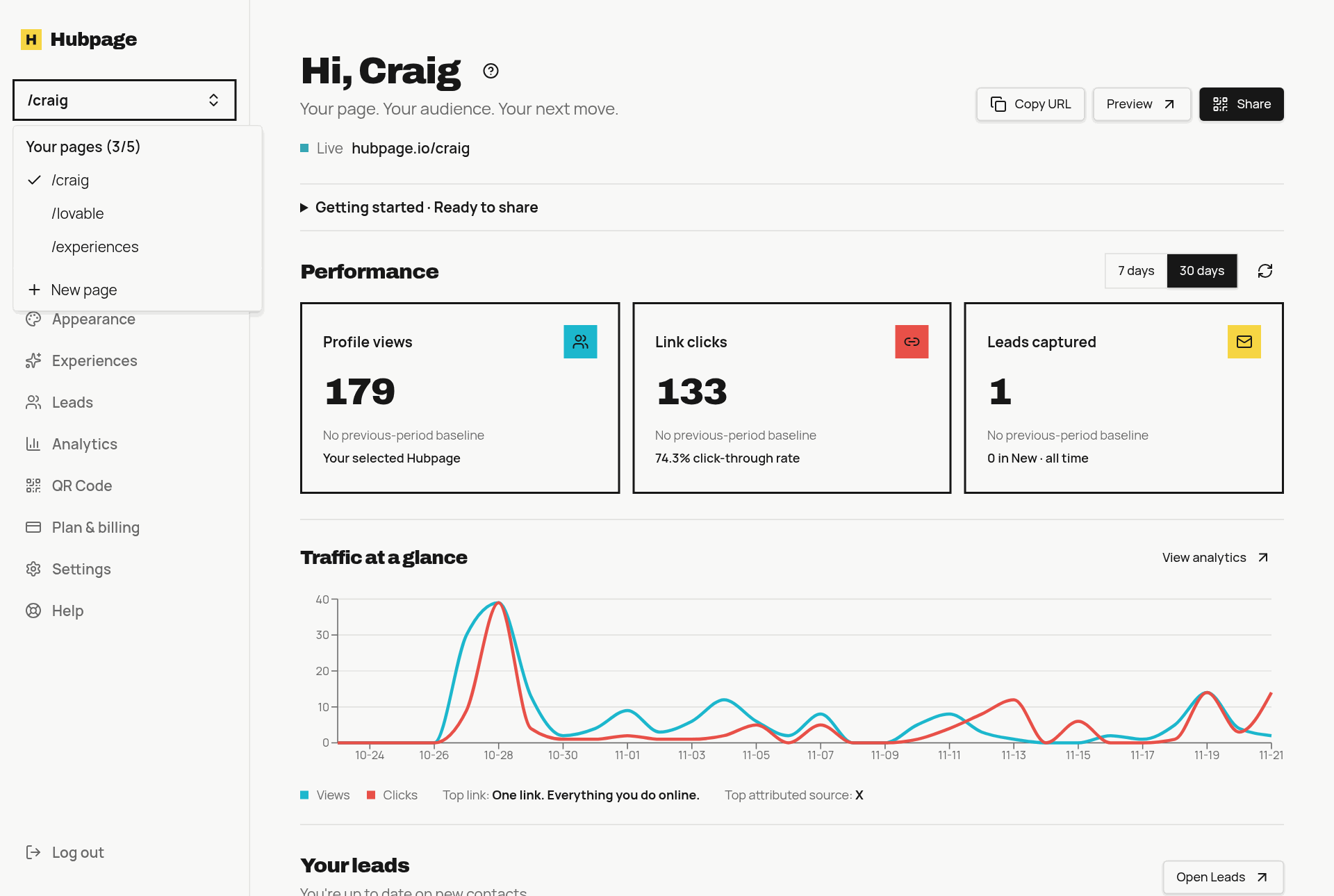
Where: Dashboard → page switcher
Create a new page
Select New page, type the address you want after hubpage.io/, then select Create page. On Free or Creator you will see More pages with Pro instead.
Where: Page switcher → New page
Switch between pages
Pick any page from the switcher. Everything in the dashboard (links, appearance, experiences, analytics) then applies to that page. Leads can be filtered by page.
Where: Page switcher
Was this page helpful?