Account settings
Change your password, see your account email and username, show or hide the Getting started guide, and log out.
Updated Nov 21, 20262 min4 steps
Settings covers your login. Profile details live in Profile.
Steps
1
Open Settings
Select Settings. You will see your account email and username, with a Change link to Profile.
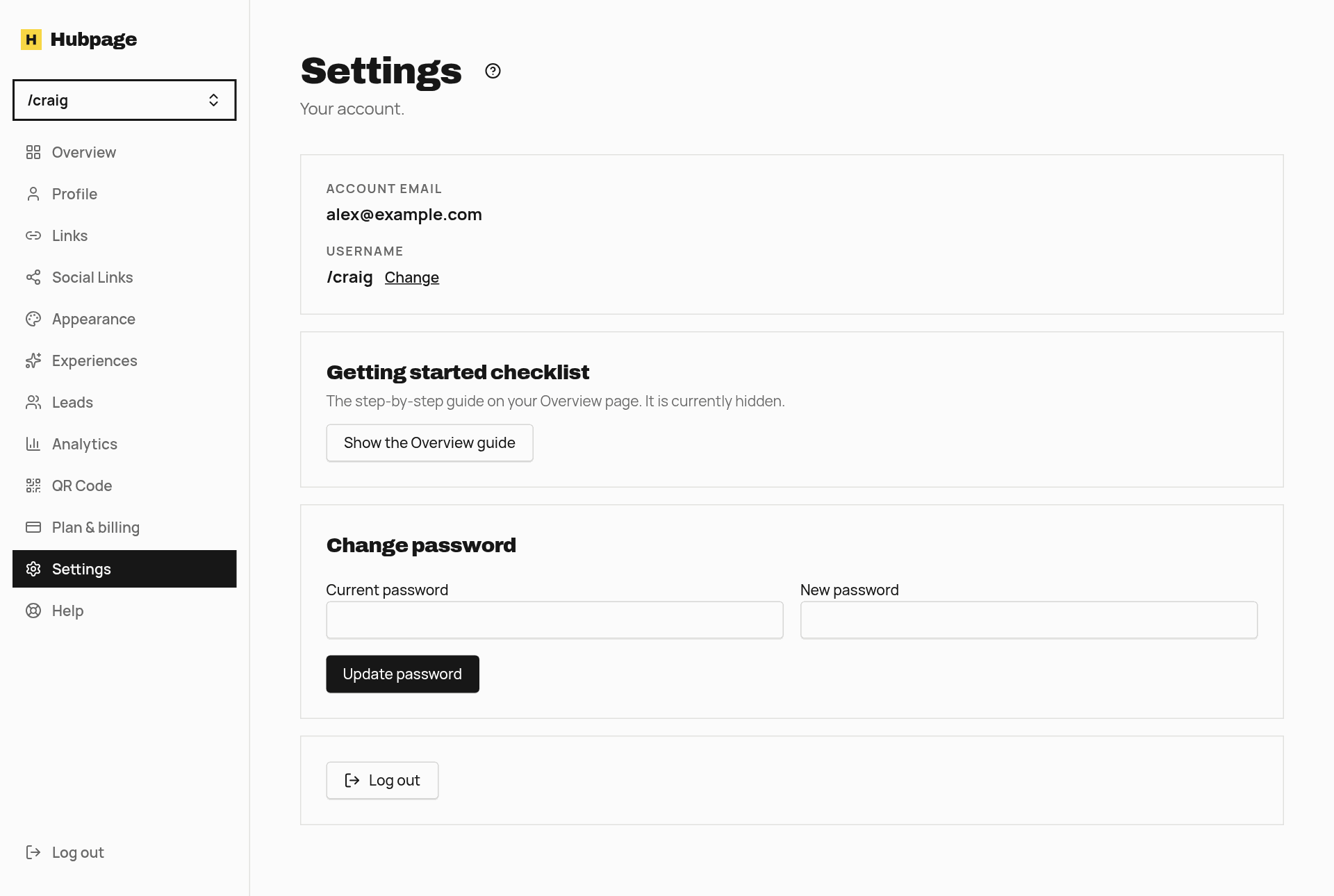
Where: Dashboard → Settings
2
Change your password
Enter your Current password and a New password of at least 8 characters, then select Update password.
Where: Settings → Change password
3
Show or hide the Overview guide
Under Getting started checklist, select Show the Overview guide or Hide the Overview guide.
Where: Settings → Getting started checklist
4
Log out
Select Log out here or at the bottom of the menu.
Where: Settings → Log out
Was this page helpful?