Set up your profile
Add your photo, name, title and bio, and choose whether your page appears in the Discover directory.
The profile is the top of your page. A clear photo and a one-line bio that says who you help do more than any link below them.
Steps
Open Profile
Select Profile in the dashboard menu.
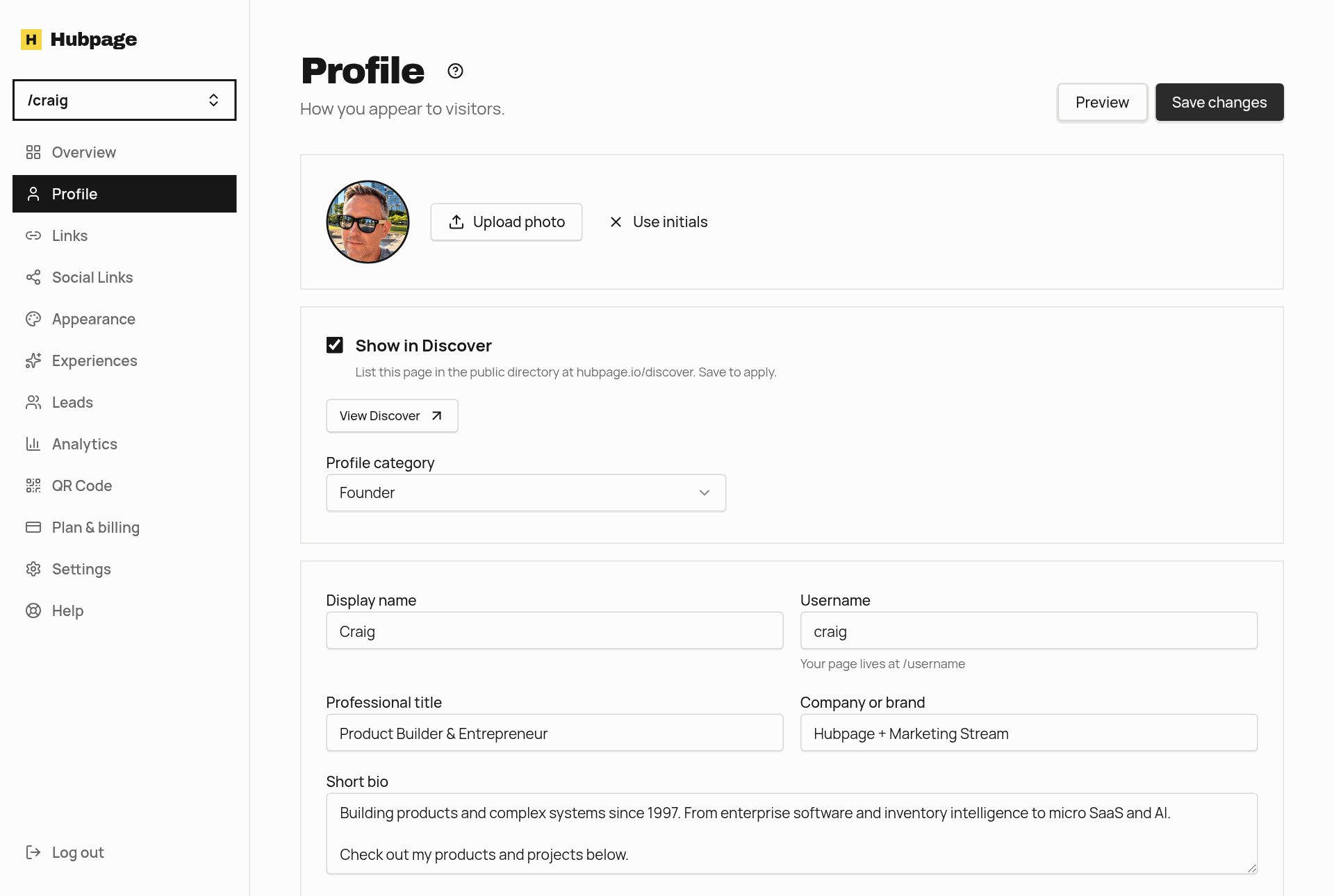
Where: Dashboard → Profile
Upload a photo
Select Upload photo and choose an image under 5 MB. Square images crop best. To go without a photo, select Use initials.
Where: Profile → Upload photo
Fill in your details
Add your Display name, Professional title, Company or brand, a Short bio (up to 280 characters), Location, Website and an optional Public email.
Where: Profile fields
Choose Discover settings
Tick Show in Discover to list your page in the public directory at hubpage.io/discover, and pick a Profile category (Creator, Founder, Coach, Writer, Designer, Solopreneur or Developer). Select View Discover to see the directory.
Where: Profile → Show in Discover
Save and preview
Select Save changes, then Preview to open your public page in a new tab.
Where: Profile → Save changes
Tips
- Write the bio for the visitor: I help Winnipeg homeowners fix leaks the same day beats a list of job titles.
- Your username is edited here too. Changing it changes your page address.
Was this page helpful?